Update on Jump modem provisioning issue

We were advised today that the issue concerning modems received by partners in the last week not being provisioned for Jump has been resolved. As we suspected, a mistake had been made by Ingram Micro and modems were distributed without being provisioned for Jump.

The problem has not only been fixed for future shipments but all modems shipped without being provisioned for Jump have now been updated remotely.

However, the Spark Foundation has asked us to contact customers who received a B618 modem from an Ingram direct shipment on 15 and 16 March to make sure they can see the Jump dashboard with the initial 30GB of data. We will refer details of anyone who can not see the Jump dashboard (as opposed to the Skinny one) back to the Foundation for them to manually load the initial 30GB.

If you have modems returned because of this issue,please use the modem returns process to get them delinked and reset.

Ministry of Education letter to families with students on MoE subsidised programme

The Ministry of Education has recently sent a letter to households with school students who received a fully-subsidised Jump service during the 2020 Covid-19 lockdowns. The letter explains that the offer has been extended for the 2021 school year until December 2021.

Some of these letters have been inadvertently been sent to households who did not require the modem and have already returned it as part of a recovery programme that we have assisted the Ministry with. Please explain to these families that there is nothing they need to do. They will not receive any further letters from the Ministry.

Families who still want to activate their modems are encouraged to contact a nearby Jump partner for assistance. If they bring their modem to you, please support them in the same way that you would for any other new Jump customer (only in this case there is no need to supply a modem).

Families who no longer require the modem are encouraged to return it to a nearby Jump partner; please accept the modem and complete the online MOE Modem Activations & Returns form; we will send you a courier bag to return it to us.

An update on Skinny modems that haven’t been provisioned for Jump

I have had a number of partners contact me today expressing concern about modems they have recently received that were not provisioned for Jump. As explained in my blog yesterday this has just been brought to our attention and we immediately raised a red flag with Spark Foundation. They advised late this afternoon that they have implemented a solution which will take about 24 hours to take effect and agreed to provide an update tomorrow.

Partners who have experienced this problem when issuing modems might be asked to contact affected customers to confirm that modems issued during the last few days have been correctly provisioned. As we be able to assist with this as most customers provide a phone number in their Profile Forms.

There is no need to take any action at this stage, at least until we get an update tomorrow.

Alert on Jump Modem Deliveries

On 22 February, we transferred to a new delivery process to get modems to partners. Since the start of the Jump programme, we (DIAA) have provided a national distribution centre for Jump modems to partners; modems have been couriered to us in large quantities (up to 500 at a time) and we have arranged distribution to partners in more manageable lots, typically 5 or 6 or at times up to 14. This gave us the opportunity to scan the IMEI number of every modem distributed into your individual Google registers.

For over a year, the Spark Foundation has been working with their Jump modem supplier (Ingram Micro) to try and streamline this process by shipping modems directly to Jump delivery partners and this was finally implemented on 22 February 2021.

But unfortunately, all is not yet well.

(1) We no longer have access to the individual IMEI numbers of modems being shipped, which means we need to use ‘dummy’ numbers in your GSheets to indicate that modems have been ordered. When we receive Profile Forms, we replace the dummy numbers with the actual IMEI number. Some partners have decide to do this themselves and that is fine if you have a bar code scanner, but it is almost impossible to record these numbers accurately if you are entering the numbers manually. If you do want to do this, please enter the IMEI numbers in Column W ;the IMEI number in column D (grey shaded column) will automatically update, as this is formula driven. You must also overwrite the dummy numbers – these are easily recognisable by their short form, typically 862901 – 862910. We hope to sort this soon and get access to the IMEI numbers at the time of shipment.

(2) Some modems are being returned to sender (Ingram Micro) because of inadequate addressing. This is simply human error by Ingram Micro, when they incorrectly key in shipping addresses. We would appreciate a photograph of any courier labels that do arrive with you, but with an incorrect address. Hopefully this will improve over time if we keep referring incorrect address labels back to Ingram Micro.

(3) Some partners are receiving Skinny modems that have not been provisioned for Jump. This means that when you try and set them up, you will get an unfamiliar dashboard response. And of course they can’t be used as is for the Jump service. If you discover one modem like this in a box, then it is highly likely that all the modems in the box will be like this. These can be remotely provisioned for Jump. Please scan the Proof of Purchase document that comes with every Jump shipment to us (jump@diaa.nz) and we will arrange for the modems to be provisioned correctly ready for issue.

We think it is worth persevering with the new modem distribution process as this is more efficient in the long run. We just have to fix the glitches along the way. So please get in touch with us whenever you discover something that doesn’t appear right.
Light at the end of the tunnel for Skinny sign ups?

Many partners have been frustrated for the last 12 months about a Skinny Jump sign-up feature that was changed on 25 March 2020 with the launch of the updated Jump service. Up until this time, customers with an existing Skinny mobile account were able to sign up to Jump by adding the Jump modem to their existing account, using the same email address.

This feature was lost when Jump migrated to a new platform in March 2020, and since then Skinny mobile customers have had to set up a new Jump account using a different email address. This was an unintended consequence of the upgraded Jump service.

Well, the good news is that this is going to change again in March 2021. Skinny is launching a smartphone App to simplify the Jump sign-up and top up processes and customers who use this App will be able to use any email they like, including one that they might have used before for a Skinny mobile account.

So, roll on March I hear you say!

B618 Jump modems – missing user guides

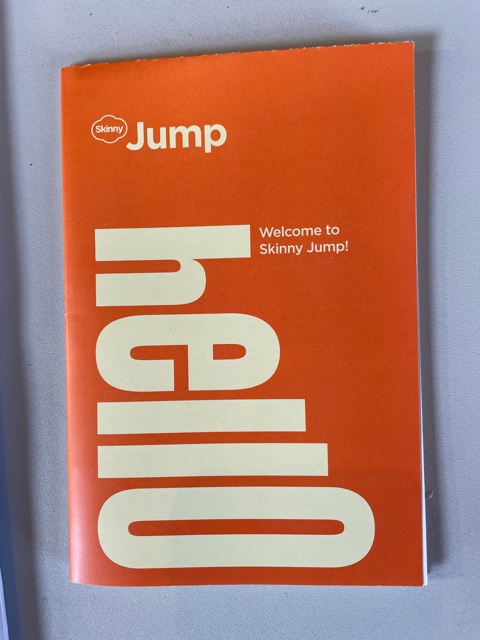
Carla from Motueka Library has discovered a box of B618s without user guides. This is a mistake by the supplier. Every modem should be supplied with a User Guide (as pictured below) – this is same for both the B315 and B618 modems. Customers must have one of these to remind them how to connect their device to the WiFi when they get home and how to top up when their first 30GB data is used.

We are making efforts to procure some spare Guides so that you can issue these if you ever discover a modem without one. In the meantime please print a copy from the digital file on the Stepping UP website here.

User Guide

Jump modem returns – alert for Auckland Libraries

Philip Miles from Auckland Libraries has alerted me to a problem with one of the modem return forms. This one has been created by the Spark Foundation using ‘tfaforms’ and any forms using this platform have been blocked by the Auckland Council ICT Department. Philip suspects that a phisher might have used this platform to penetrate corporate networks and this could be the reason why it has been blocked.

Philip has asked for this particular form to be unblocked, but is advising the Auckland libraries team to use a device off the Council network in the meantime.

Library staff in other Councils might like to check if this form has also been blocked for them and if so, ask their IT team to unblock. The specific form in question is http://tfaforms.com/4864829

Jump modem returns – to re-issue or recycle?

Sally Ann Hardwick from Helensville Library raised an interesting point this morning and this made me realise that others might also be confused. Sally had read by blog posts from earlier this week (made my day to know that someone reads them!) and she was following my specific instructions by requesting a Sims courier label to return modems for recycling that had been returned prior to 5 January 2021 (the new procedures date for ‘modem returns’).

However, when I discovered that the returned modem had only been issued on 30 November 2020, I thought this should be managed under our new ‘de-link and reset’ procedures rather than sent for recycling.

So, I think there is a need to revise my instructions to provide more flexibility:

(1) Any returned modems that you are holding (whether they were returned before or after 5 January) and look to be in an OK condition – with packaging, power supply and ethernet cable – should be treated as potentially available for re-issue. You should use the Modems Return form to get the modem de-linked and reset, ready for re-issue.

(2) Any returned modems that are dirty, defaced or have missing parts should be treated as faulty, and you should use the Faulty Modems form.

Modem returns: a new year and a new Google form – just what you are waiting for!

You might think that Google rules our lives and you might not be that wrong. Certainly for us at DIAA, we simply couldn’t manage programmes like Skinny Jump without Google forms and Google Sheets.

And so, let me introduce you to a new Google Form – MOE Modem Activations and Returns. This is to be used by public Stepping UP partners whenever a customer returns a modem that was supplied by the Ministry of Education (MoE) during the 2020 Covid-19 lockdowns. When schools were required to close as part of our national response to the Covid-19 pandemic, the Ministry of Education made a herculean effort to ensure that students were able to continue their learning from their homes. This involved providing internet connections to households with students, where there were no existing connections. Families were offered a fully subsidised connection for 6 months, which was subsequently extended until the end of February 2021.

Some families received modems that they didn’t need, while others never got around to activating their modems. As the subsidised period comes to an end, the Ministry expects that some families may not wish to retain their internet connection and are seeking assistance from our Stepping UP partner network to recover unwanted modems. We know that some partners have already been receiving these modems.

Families are being encouraged by the Ministry of Education to return any unwanted modems to a nearby Stepping UP partner and we (DIAA) will provide prepaid courier labels for these to be returned to us.

For families who have not yet activated their modems, they can still do this until 31 January 2021 and receive a 6-month subsidy, but time is running out on this option. If you receive any requests for assistance to activate modems supplied by the Ministry of Education, you can help by directing families to the relevant ISP – see list below. Of course if you are a Skinny Jump partner and a family needs help activate their Jump modem, you can use the same procedures as for any other Jump connection.

Ministry of Education – subsidised internet connection providers and modem types:

  1. Vocus (Slingshot) 0800 892 843: Netcom device (NF18s), TPL link modem
  2. MediaTribe (Bryte) 0800 890 105: D Link modem
  3. Spark (fixed line) 0800 733 033: Akadian or Huawei Smart Modem
  4. Spark (Skinny) 0800 475 4669: Huawei B618
  5. Vodafone (Farmside) 0800 852 850: Huawei B525
  6. 2Degrees 0800 544 889: ADM Fritz Box or Huawei B535
  7. Fusion Networks 0800 368 324: TP Link Archer VR300
  8. Compass 0800 640 840: D-Link DIR 853 Gigabit or Netcom NF10WV
  9. Ash Net 0800 274 638: TP Link – Archer C20

So that makes three new Google Forms for 2021:

  1. Jump Modem Returns Form – to be used whenever a Jump modem is returned or when you have trouble setting up a new Jump modem for a customer. This form is used to de-link the modem from the customer’s Skinny account and reset the modem, ready for re-issue.
  2. Faulty Jump Modem Returns – to be used when a customer returns a faulty modem and if required, is issued with a replacement modem.
  3. MOE Modem Activations and Returns – to be used when any modem issued as part of the MOE Covid-19 connection programme is activated or returned.

New process for faulty Jump modems implemented yesterday (5 January 2021)

Thank you to Jo Cocker from Te Manawa Library in Massey Auckland, who was the first to discover a glitch with the new faulty modem process that took effect yesterday. The tiny URL for the Faulty Modem form was linking to an old version of the form; needless to say, this has been fixed. But we do appreciate this sort of feedback. As one of our famous Wellington retailers (LV Martin) used to say “It’s the putting right that counts!”.

So, to summarise the new process:

  1. Customers must contact the Skinny Helpdesk Care Team (0800 475 4669) if they suspect their modem is faulty; the Care Team will attempt to resolve the fault remotely, but if they can’t, they will advise the customer to return their faulty modem to a nearby Jump partner and pick up a replacement. The Care team will also initiate an internal Skinny process to de-link the faulty modem from the customer’s account (this means that by the time the customer arrives at a Jump partner to get a replacement modem, the modem will already be de-linked and the customer can use their same email to set up a new Skinny account with the new modem).
  2. For customers who for any reason are unable to visit a Jump partner, e.g. rural location, disability or otherwise house-bound, the Skinny Care Team will log the fault report with DIAA and we will send a return courier bag and replacement modem to them.
  3. When customers turn up with their faulty modem, Jump partners must complete the Faulty Jump Modem Returns form. There is also a link to this form on the Stepping UP website in the drop down Jump menu.
  4. Customers must use the same email address to set up a new Skinny account and they will then be able to transfer any unused credit balance on their old account to their new account. Note that customers can only use the same email address after the faulty modem has been de-linked, which is why this process is now automatically initiated by the Skinny Care Team when the fault is first reported.
  5. There should be no need for partners to email the Skinny Support Team (support-team@skinny.co.nz) to make a request for modem de-linking.
  6. All faulty Jump modems (B315s and B618s) are now to be returned to Telegistics, where efforts will be made to repair them; those that cannot be repaired will be sent to Sims for recycling.
  7. When DIAA receives a completed Faulty Jump Modem Returns form, we will send a pre-addressed courier label to the Jump Partner for sending the modem to Telegistics. Our goal is to send Telegistics courier labels at least weekly, so if you have more than one faulty return in any week, you can box them and send them together (the courier costs of sending 5 or 6 in a box is less than sending a single modem in a satchel).
  8. If partners are holding any B315s for recycling, that you received before 5 January 2021, these can still be sent to Sims for recycling. Please contact us on jump@diaa.nz and we will send you a Sims label.

Any questions or clarifications about the new process, please contact us at jump@diaa.nz