Thank you to Jump partners who are using the Waiting List process as described in my blog post from August 2022. For the most part this seems to be working very well, although we are aware that some partners have their own processes for doing this.
The benefit of using my suggested process is that we can take into account people on your Waitlist when sending you new supplies. Our objective is to try and keep you stocked with Jump modems so that you never run out. But we can’t do this if we don’t know how big your waitlist is.
We currently have modem orders in the pipeline for over 150 partners and this means that there can be a delay of up to 2 months before new supplies arrive. We are continuing to give priority to Ciena partners and partners with waiting lists recorded in their GDoc registers.
There are currently around 500 people on the Jump waitlists – and these are just the ones we know about. As modems are issued and we receive completed Profile Forms, we add the customer to your GDoc and remove them from your waitlist. This works most of the time, but we would appreciate your assistance in keeping your waitlists ‘real’.
For example, some people have been on a waitlist for over 6 months and we suspect that they might have found other options. If you know of anyone in this situation, please delete their names from your Wait List.
The Auckland Library team has come up with a good process for managing their waitlists: when they receive a new supply of modems, they notify customers on the waitlist that they have 2 weeks to arrange a time to collect a modem. Anyone who does not respond within 2 weeks is removed from the waitlist and the modem becomes available to issue to other customers.
One final point about the waitlists – please make sure you include the date in column E when customers are added to the waitlist, using the following date format: 9-jun-2023. Google Docs can get confused with dates in the following format 9/6/2023 – is this 9 June (NZ format) or 6 September (US format)?
I had a question today from one of our partners about the process when Jump customers move to a new address. I thought this might be a good opportunity to remind all partners.
Here it is in a nutshell:
Use the address checker to confirm that the customer is moving to an address with Jump coverage.
If so, ask your customer to contact the Skinny Care Team on 0800 475 4669 and inform them of the new address.
The customer can then unplug their modem and take it to their new address.
If customers move their modems to a new address without notifying the Skinny Care Team, they could find their modem gets blocked, as this is a breach of the conditions of use.
If their new address does not have Skinny Jump coverage, then the modem should be returned to the nearest Jump partner for resetting and assigning to a new Jump family, or the customer is welcome to contact the Skinny Care Team and request a pre-paid return courier bag.
What they should not do, is just walk out the door and leave their Jump modem behind for the next tenant.
Transferring to another family member can also be problematic, as the modem is linked to the original user’s email and any new user would require access to this email and the password in order to top up the account and purchase new data plans. So it is much better for the modem to be returned and reset (or if it is unsuitable for reuse, it will be responsibly recycled). The family member is welcome to apply for a new modem using their own email and password (assuming of course that they meet the eligibility criteria).
It is good to see that nearly half of the Jump Partners who are participating in the Ciena Pilot have now signed up one or more students in their area. Over 80 families with school-aged children are already benefitting.
But as partners sign up their first customers, they are discovering little challenges in remembering exactly what to do in terms of our back-end processes.
Yesterday a partner signed up their first customer and issued a new modem but then discovered the family already had a Jump modem. The family said “thank you very much for the new modem; we’ll bring the old one back”.
Unfortunately, issuing a new modem to family that already has a Jump connection creates a number of problems:
(1) Ciena modems are exactly the same as standard Jump modems; the only difference is the Jump plan (the Ciena Plan) that is applied to the customer’s account linked to the modem.
(2) We have an ongoing national shortage of modems; we do not issue replacement modems when the current one is working perfectly well and in the case of Ciena customers, this is a back-end process in terms of provisioning a new plan on the customer’s account (nothing to do with the hardware).
(3) Customers are unable to activate a replacement modem using the same email address until their old modem goes through our Modem Returns process (where the customer’s account is de-linked from the modem), and this generally takes up to 24 hours.
(4) Customers could use a different email for the replacement modem but then they would not be able to transfer any residual funds from their existing account to their new one.
So, any partner traversing this path is creating a lot of problems for their customer, when all that is needed is a new Profile Form (where the details of the existing modem are recorded) and the Ciena Referral Form. The Skinny Team then works their magic to reprovision the customer’s existing modem for the Ciena Plan. No new accounts to be set up. No new WiFi passwords needed. No modems to be returned. Simple as!
Partners are welcome to issue returned Jump modems without the packaging.
Our goal is keep as many modems in circulation as possible and we certainly want to keep encouraging customers to return unwanted modems. However, we know that many people dispose of packaging materials as soon as modems are activated and we don’t want them to feel they can’t return it because they have sent the box for recycling.
When it comes to re-issuing the modem, the packaging is a ‘nice to have’ rather than a mandatory requirement.
Since July 2022, over 1500 Jump modems have been returned, either because they are faulty or no longer required. Just under 40% of these have been remotely reset by the Skinny team and made available for re-issue within 24 hours. So we don’t want the lack of packaging to result in these modems gathering dust.
To reissue a modem the following items are essential:
(1) the modem itself (provided it is not defaced or physically damaged);
(2) a power supply;
(3) a short ethernet cable (usually yellow or blue);
(4) a User Guide booklet.
We can generally supply spares for items 2, 3 and 4. So just drop us a line at jump@diaa.nz and we’ll get spares on their way to you. If you require a replacement power supply, please specify the IMEI number of the modem as the power units do differ by modem type.
It appears that from time to time a Skinny Care agent refers a customer with a faulty modem to a Jump Delivery partner for a replacement modem.
This is not the currently agreed procedure.
During the last six months the Skinny Care Team have correctly processed over 400 requests for replacement modems, but every now and again it appears one or two agents inadvertently advise customers to contact their local Jump partner for a replacement modem.
When this does happen and a customer turns up for a replacement modem after having reported the fault to Skinny, partners are welcome to supply a new one, provided of course that you have stock available. Just complete a Modem Returns form to record both the faulty modem details and those of the replacement.
If you don’t have stock available, please make sure the customer really has reported the fault to Skinny. If so, a replacement will be sent by DIAA directly to the customer along with a pre-paid courier bag to return the faulty unit.
Our standing instruction to the Skinny Care Team is that they never refer a customer to a Jump partner if they require a replacement modem. This will continue until such time that all partners have sufficient modem stocks to start supplying replacement modems again.
Earlier this week, Jo Cocker, Auckland Libraries’ Digital Literacy Specialist, convened a webinar for Auckland Library Jump partners engaging in the new Ciena Jump delivery processes. This generated a number of excellent questions that could be on the minds of other partners who have signed up to support this expanded initiative.
Q: How do we find out which schools are already participating in the CIENA programme?
A: Most of the schools already participating in the Ciena programme are in Auckland and Christchurch. You can find a schedule of both existing and potential Ciena schools here, together with their nearest Jump partner. In Christchurch this has been managed to date by the Greater Christchurch Schools Network (GCSN). From 31 January 2023, the sign-up process changed with modems now being issued by 37 selected (for the trial) Jump partners. Students seeking to participate must have a referral from their school or Jump partner as well as parent/guardian permission.
Q: Who initiates the process to sign students up for the Ciena plan?
A: From 31 January 2023, existing Ciena schools have been asked to send all student referrals to a nearby Ciena Jump Delivery Partner to get a Jump modem and complete the online signup processes (Skinny Jump and the Jump Profile Form (2023 version). Late in 2022, all Jump partners were invited to consider becoming a Ciena Jump Delivery Partner, and just under 40 partners were selected for the trial. These partners identified schools where they believed there would be students who could benefit from the Ciena assistance. It is now up to the partners to approach schools and explain the opportunity. We encourage partners to start with one or two schools in their community, as we are uncertain about how much demand there will be, but the programme is open to all schools (primary and intermediate as well as secondary). Briefing materials (including referral forms for distributing to schools) have now been sent to partners and the first signups are underway.
Q: If a student moves from a CIENA-school to a non-CIENA school, can they still be part of the programme?
A:Yes. The CIENA plan is associated with an individual household (not a school) where the student lives. If the family moves to a new address, they must follow standard Jump protocol, i.e. check that their new address has Jump coverage and then notify the Skinny Care Team (0800 475 4669).
Q: How many schools can we support with this CIENA offer?
As many as you like, but giving priority to secondary school students. While the internet can be important for learning at all levels, secondary school students face special challenges with assessments such as NCEA and the more successful they are during their school years, the more choices they will have in moving to tertiary studies or into the workforce.
Q: Will existing CIENA schools already have helped all their students get access to the internet, so should we focus on other schools?
A: All schools have new students arriving every year; many of these might be from households that can’t afford commercial internet plans, so it is better to not make any assumptions and just help raise awareness of the CIENA opportunity in schools and families in your community.
Q: What happens when the scheme ends in December 2023?
CIENA families will have the option of retaining the Jump modems and migrating to a standard Skinny Jump service (currently capped at 225GB with 6 $5 x 35GB top ups) or returning their modems to a Jump partner.
Q: What happens if CIENA families use all their 210GB allowance before the end of each calendar month?
A: The internet will stop working until the next monthly 210GB allowance is added to their accounts on the first day of the next month. We know that some households do use more than 210GB each month, especially households with a large number of family members. If this becomes a problem, we need to make it clear to participants that there is no penalty in terminating their Ciena Jump connection; we only ask that the modem be returned to a Jump partner so that it can be reprovisioned for another family.
Q: There is no provision on the Referral Form for a teacher or staff member to ‘authorise’ a student’s eligibility, yet the Profile Form requires the student to name the person who invited them to join the Ciena plan.
A: This is a question we expect partners to ask applicants before issuing a modem – who provided them with the Referral Form? This should be a named person from the student’s school or can be a Jump partner staff member. This is an extra step to validate the application, especially if there are any concerns about the student’s eligibility. We may contact this person if we have any concerns before provisioning the modem for Ciena. The important thing is to provide an actual name, not a generic position.
Q: I am doing a regular Jump sign-up and am aware that the applicant family could benefit from the CIENA plan. Can I sign them up or do I need to get approval from their school?
A: Any CIENA Jump Partner with access to the CIENA Referral forms can give approval and simply enter the name of the staff member completing the application on the Profile Form.
Q: How do families know their modem has been provisioned for CIENA?
A: This will generally happen within 1 working day of the modem being issued and the Profile Form and Referral Form being submitted. An email will be sent to the customer by DIAA confirming that their modem has been provisioned for Ciena and customers will notice the data bar on their dashboards change from the startup 35GB to 210GB.
Q: How do schools and the general public know where to find a CIENA Jump Delivery Partner?
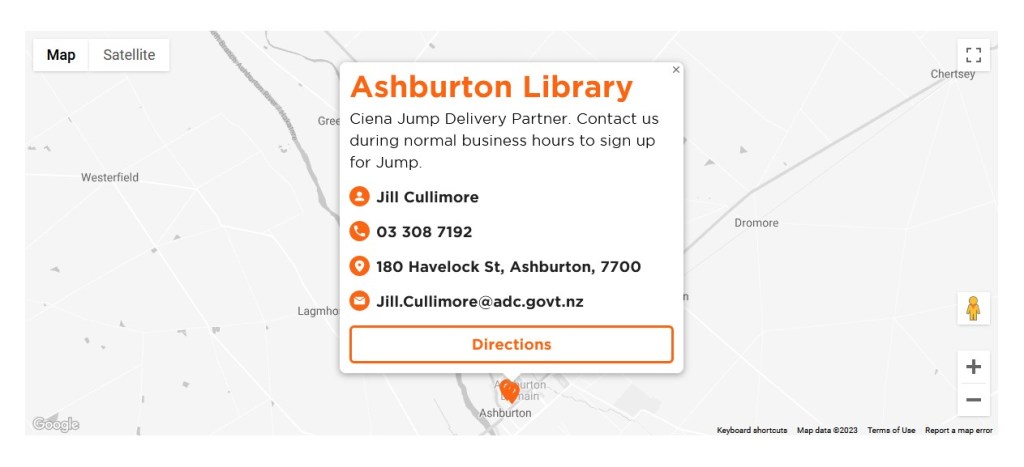
The Skinny Jump website has been updated identifying trial partners as Ciena Jump Delivery partners, as per the example below:
The recent weather events in Auckland and Northland have forced many people out of their homes and into temporary accommodation. If customers seek your advice, suggest they check for Jump coverage at their temporary address and if there is coverage they can take their Jump modem with them. Remind them to also contact the Skinny Care team on 0800 475 4669 to advise their change of address and avoid being disconnected.
Any existing Jump customer who has been displaced from their home or is facing additional financial hardship should be encouraged to contact the Skinny Care team and discuss the forms of support that are available.
We are also aware that some fixed line internet services (copper and fibre) to individual homes have been disrupted by flooding and landslides. Households in Jump coverage areas can apply for a wireless Jump modem, as it could be some time before fixed line services are reinstated. Applicants should be advised to check with their internet provider first to understand how long it might take to reinstate their existing service.
Some partners have asked for advice about managing their waitlists. We understand many are having difficulty contacting customers who have been added to the waitlist and the question then is how much effort do you put into following up with people who are difficult to contact.
The Auckland Library team discussed this at a recent Jump Community of Practice and agreed to set aside modems for up to 7 days; some felt it didn’t even need to be as long as this, as we are continuing to face up to six week delays in the supply chain.
We support the idea of a definite timeframe being communicated to customers and agree it should be no longer than 7 days. We find many people are reluctant to answer calls from unknown numbers but can be responsive to text messages when they know it is about Jump.
I know some partners try time and time again to contact these customers, but my advice is that one call is all that is necessary – leave a message if possible (voice or text). The ‘reserved’ modem should then be released for distribution after 7 days. This practice should be explained to customers at the time they are added to the waitlist. They should also be encouraged to take responsibility for checking in with you from time to time as well.
Partners are welcome to leave unresponsive names in the Waitlist section of their Jump registers but they eventually ‘expire’ (currently after 6 weeks) when it comes to influencing modem re-order quantities.
You are also welcome to add your own notes in column H of the register and contact details in columns I to N.
Skinny Jump is not a mobile service. This means it can not be used in a vehicle or transferred between houses without the explicit approval of Skinny.
We have heard reports about people trying to connect their modems to the cigarette lighter outlet in their cars, but that seems like a lot of trouble to go to when mobile phones have much easier hotspot functions. We have also heard reports of people temporarily relocating their modem to an alternative address.
Some customers are uncertain about whether they can take their modem with them when they move to a new house. The short answer is “yes, they can” provided:
(a) they have checked there is coverage at their new address; and
(b) they have contacted the Skinny Care Team (0800 475 4669) and confirmed their new address.
If service is not available at the new location, the modem must be returned to a Jump partner; the modem can then be reset (using the Modem Returns form) and reissued to another family that is in coverage.
Many partners are now actively using the waiting list process to signal unmet demand for Jump modems, and we are continuously monitoring these lists to adjust delivery quantities for partners as well as priorities. We currently have 102 modem orders for partners in the pipeline, with total requests for over 1200 modems. This might seem like a lot, but the good news is that waiting times are trending down, and with Christmas coming, we expect this trend to continue at least until February. We have adjusted the re-supply trigger quantity down from 8 weeks to 5. This means that whenever you receive a new supply of modems, you should have enough to last 5 weeks (based on the number issued during the previous five weeks). We do factor in customers on waiting lists, so a couple of reminders about this process.
(1) When you add someone to the waitlist towards the bottom of your Jump Register please include their first and last name and the date they have applied for Jump. The most important field is the date – it must be in the following format: “22-Nov-2022”. Other date formats may not be recognised and this directly affects re-supply quantities.
(2) Do not add people living at locations that fail the Jump coverage test to your waitlists. You should complete an online application for them, so that we get ongoing data about demand that can not currently be met. We do double check coverage for every online application and send an email to applicants at locations where there is no Jump service.
(3) We have noticed some situations where applicants get the green light for Jump coverage when they initially apply, but by the time new modem supplies arrive the situation has changed. This is regrettable, but it is not something we can control. In these situations, please transfer the applicant from your waiting list to an online application.
(4) Some partners are confused about the address verification process and have reported that by the time they discover their customer’s address is not in coverage, they have already set up a Skinny account. The address coverage check MUST come first, and certainly before you start to set up a Skinny Jump account.
(5) And before you add anyone to your waitlist, we do strongly encourage you to use the 6 C’s checklist with your customer to make sure Jump is the right product for them. Failing to do this is likely to lead to further frustration when modem supplies become available and the customer only then discovering that the data cap is not going to work for their household, for example.