Yes, it’s Jump stocktake time again

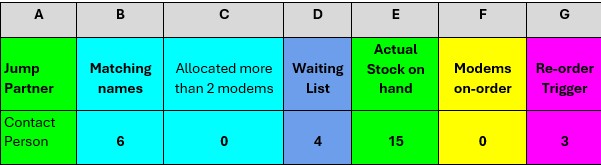
Each year we ask all our Jump partners to do a stocktake of their Jump modems to help us start the new year with a clean slate. If your Jump stock matches the number in cell E2 of your Jump GSheet, please send us a short email confirming this (jump@diaa.nz). If you don’t know how to access your GSheet, send us an email and we’ll remind you.

Check the top few lines of your GSheet – it should look something like this:

If there is a mismatch with your ‘actual stock on hand’, please email us the IMEI numbers (the numbers beginning with 8668, 8670, 8629, 8605 or 8664) for the ones you are holding and we’ll get your Gsheet back in order.

You will recall that we use the stock data in the GSheet to generate and prioritise new orders, so it is really important to keep these aligned.

Please also check that we have the correct contact name in cell A2 – this is the person we send new modem supplies to. If this is not correct please email us with the new contact person – name, email and contact phone number.

We would like you to confirm these details before Christmas; to help you with this, you might get a call from Georgia or Tori, our two Jump helpers (like Santa’s Christmas Elves).

And one other thing – we know some partners just never seem to be able to find the time to complete Modem Returns forms when a faulty modem is returned. So when you are doing your stocktake, please take a note of any old modems cluttering your cupboards and unsuitable for re-issue, we’ll send you a courier label to recover them. Just tell us the size of the box you will be using so we can get the courier charges right. Or if it is just one or two pesky modems, we can send you a return courier bag.

Where are the courier bags for returning faulty modems?

I am well overdue for a blog post on this topic. This is now the second most frequently asked question by Jump partners. What is the most frequently asked question you might wonder (scroll to the bottom to find the answer).

Back to the main topic of this post – some partners have been waiting for more than four weeks to get a return courier bag. The good news is that there is no great mystery here – it is simply a workload issue. Our goal is to get these to you so they are off your hands within 10 days of lodging a Modem Returns form, but that has been impossible over the last four weeks.

Our DIAA team has been a tiny bit preoccupied during the last month launching three new Digi-Coach programmes in the Waikato, Northland and last week in The Top of the South Island. Next week we are in the Central North Island and a week later in Wellington. With five new Digi-Coach cohorts in operation, that means 50 new Jump Specialists become available in libraries and community organisations throughout these regions five days a week for the 12-week work placements. Take a look at the stunning impact videos featuring Digi-Coaches in the Wellington region during the pilot programme earlier this year.

BUT, I digress. The really good news for return courier bags is that all partners should receive their bags this week. We had 50 on the courier yesterday and we are expecting the remaining 30 or 40 to be out the door this week. We have a new cunning plan to keep on top of this in the future and avoid such a huge backlog.

This has also impacted updates to your Gsheets for delinked modems. Normally these updates happen at least weekly, but they have suffered the same fate as the return bags. This is not such a problem, as partners receive a direct email notification from the Skinny team whenever a modem is delinked and reset for re-issue. So you don’t have to wait until your GSheets are updated before you issue delinked modems. They (your Gsheets) will catch up eventually, as this impacts your stock levels.

And the answer to the most common question is ‘When am I getting more modems? The answer to this question is much more complicated and varies week by week. But as some partners will have noticed, we have now exhausted supplies of the refurbished Smart modems and the latest shipment of over 700 modems was mainly the new Futura modems. The backlog of orders has reduced to 1600, which is the best it has been for most of this year.

From courier bags to modem supplies, the road ahead is looking brighter.

Customers needing replacement modems – it’s your call

Clarifying the Process for Replacement Jump Modems

We regularly receive reports from partners about Jump customers requesting replacement modems — often because their modem has been lost or stolen, or because they’ve been referred by the Skinny Care Team. These situations can put pressure on your staff, especially when customers arrive unannounced and expect an immediate replacement. In some cases, they may become quite insistent or even stroppy.

However, Jump partners do not have the tools or access needed to issue replacement modems on the spot. That’s why our recommended process is for all replacement modem requests to be directed to the Skinny Care Team (0800 475 4669).

The Skinny Care Team has the systems in place to:

  • Check whether a modem is genuinely faulty.
  • Verify the customer’s identity and Jump status.
  • Complete the required Modem Returns form, which triggers the modem de-linking process and a request for DIAA to courier a replacement.

Once the form is submitted:

  • We (DIAA) arrange for a replacement modem to be sent directly to the customer.
  • We also include a prepaid courier bag for returning the faulty modem.
  • The de-linking process takes a few days, ensuring that by the time the new modem arrives, the customer’s account is ready to be activated.

Lost or Stolen Modems

If a modem has been lost or stolen, partners must not issue a replacement under any circumstance. The customer must contact the Skinny Care Team directly to report the issue and begin the verification process.

Incorrect Information from Skinny Care

It seems that part of the confusion arises when Skinny Care agents mistakenly direct customers to Jump partners for replacements. Please note: Skinny agents should never refer customers to partners for replacement modems. If they confirm the modem is faulty, they should complete the Modem Returns form instead.

Managing Customer Expectations

We know it’s not always easy to turn customers away — especially when they show up unannounced. That’s why we strongly encourage all partners to:

  • Clearly communicate to your community the type of support you offer.
  • Decide whether Jump support is provided via:
    • Drop-in sessions,
    • Set times during the day/week,
    • Appointment only.
  • Avoid providing support during staff lunch breaks (12–2pm) or during busy periods such as school holidays, when other programmes may take priority.

Optional Modem Replacement by Partners

If you do choose to issue a replacement modem (e.g., if you have one available and have time to assist), that’s entirely up to you. While this is outside our standard process, we’re happy to support you if you have the capacity.

Just ensure that customers understand:

This is a back-end procedure that cannot be fast-tracked — not by delivery partners, the Skinny Care Team, or DIAA.

The de-linking process cannot happen instantly.

Is there still a problem with Jump modems not being properly de-linked?

Partners trying to reissue returned modems during the last 3 months have experienced numerous problems when they try to use these ‘de-linked’ modems, only to discover they are still linked to the previous owner’s email.

I appreciate that this has been extremely frustrating and appears to have resulted in partners feeling a bit nervous about re-issuing de-linked modems.

We think the problem is because of staff changes in the Skinny Jump team and misunderstandings about the de-linking and resetting processes. We appreciate that there has also been confusion about exactly what is required to de-link, reset and reprovision a Jump modem.

After much discussion between the Jump team in Spark and the Skinny support team, a new de-linking process was introduced on 24 March 2025 that we believe will solve the problem.

We have also used this as an opportunity to be very clear about what is meant by the terms used to describe this process. It is unfortunate that the language used in the new November 2024 Jump Partner Guide is still a bit confusing.

The umbrella term to be used for all returned modems is now “de-linking”, whether the modem is to be reused or sent for repair.

This involves completely deleting the customer account linked to the modem, which both frees up the modem for re-use as well as releasing the customer’s email for reuse should the customer wish to set up a replacement modem.

In the past, we have used the terms “resetting” and “reprovisioning” to explain how delinked modems are readied for reissue with a 35GB start-up data plan, but we are going to stop using these terms, as they are just sub-sets of the de-linking process.

Every modem that is delinked is automatically reprovisioned with a new 35GB start-up data plan, whether the modem is for reuse or repair.

The only exception is modems that are reported as ‘lost’ or ‘stolen’; these are permanently blocked.

The good news is that the new process seems to be working well, with timely notifications to partners as well as excellent tracking of the various components of the de-linking process. The not so good news is that the delinking process is taking a bit longer – up to 3 or 4 days. But in our view if this results in a more robust process it is well worth the wait.

We are going to be watching very closely any modems that have been delinked since 24 March to make sure the new process is working as expected. Partners holding modems that have been reset before this date are welcome to submit them again if you have any concerns that they might not have been de-linked properly.

Footnote: You might also be wondering what happens to any credit on a customer’s account when their old account is deleted. The Skinny team records the amount of this credit on the customer card, so that when a customer calls up and asks for the credit to be transferred to their new account, they can arrange this.

What do I do with a returned modem that isn’t a Skinny Jump one?

I have had two questions from partners about this so far this week (and it’s only Wednesday), so that calls for a blog post!

The challenge that partners are facing is that the same physical modem is used by Spark and Skinny for a range of different services, some of which are wireless and others are for landline (fibre) connections. So it not always easy to identify which ones have been provisioned for Skinny Jump.

My advice is to lodge ALL returned modems that look like a Skinny Jump modem through our Modem Returns Process. The Skinny team will advise us whether the modem has been provisioned for Jump or not.

Any ‘non-Jump’ modems will then be treated as ‘faulty’ and this will result in us sending you a recovery courier bag. We return these to CEVA, the company that manages the supply of modems, and it is their job to arrange the repair of faulty Jump modems or the transfer of other modems to the right party, or in case of very old or damaged modems, they would most likely be sent for recycling.

Supplies of Jump Collateral

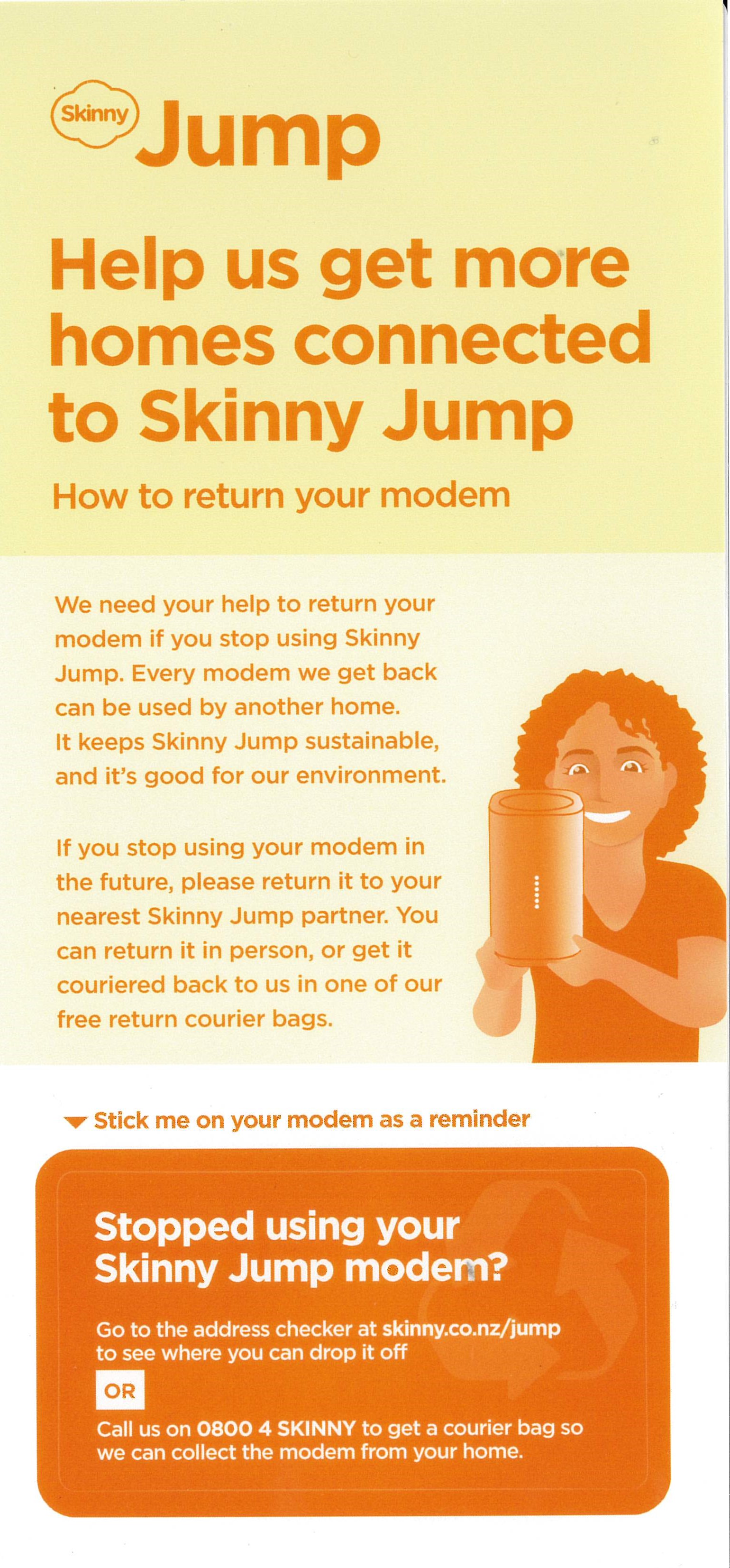
I am starting to receive requests for more supplies of the above “Stopped Using your Skinny Jump Modem” stickers; I suspect that this could mean other partners are also running out. We (DIAA) have a reasonable supply of these and can supply further copies (they come in bundles of 10). We are planning a further bulk supply over the coming months, but we can hopefully keep you stocked in the meantime. Remember to attach this sticker to every modem that you issue.

If you need more copies please send your requests to Shelley (shelley@diaa.nz) and she’ll get some on the courier for you.

And while we are talking about Jump collateral, do remember that you can order this online through our Stepping UP website: Stepping UP>Partner Resources Hub>Skinny Jump Partner Resources> scroll down to: Skinny Jump Promotional Materials

More on Jump modem packaging

We continue to get requests from partners for empty Jump boxes, so that returned modems, when reset, can be issued to new customers with the packaging. My previous posts explained that this is not a requirement; modems can be issued without packaging – the essentials are a power supply, an ethernet cable and a user guide.

My April blog post indicating that we could send partners boxes of empty boxes is no longer a viable option. For the last 2 – 3 years we have had courier sponsorship from NZ Post through their Delivering for Good programme and this made it possible for us to send out empty boxes, but this sponsorship unfortunately came to an end on 30 June.

Certainly, partners still have the option to retain some packaging that is returned with faulty modems; this could then be re-used with reset modems. Some library partners have ‘library bags’ for use by customers to carry home books; these would be a good sustainable option.

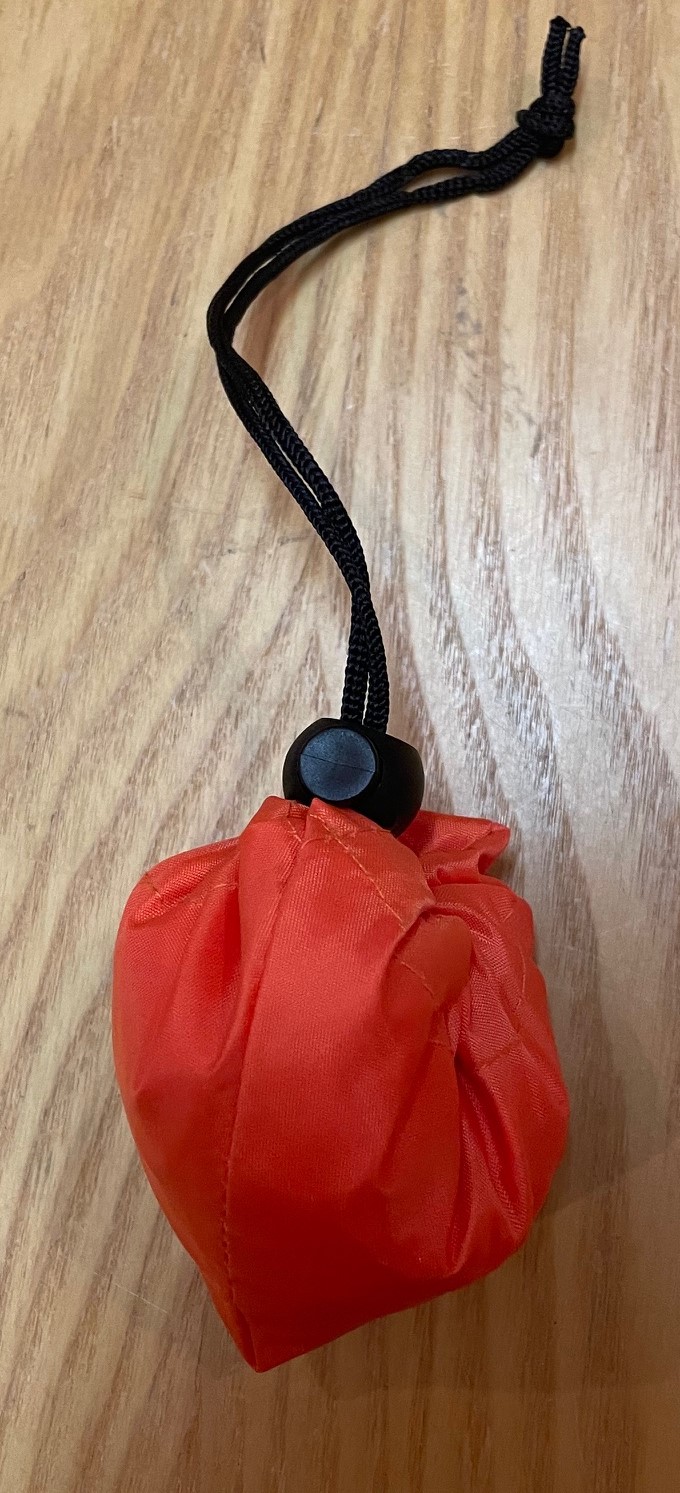
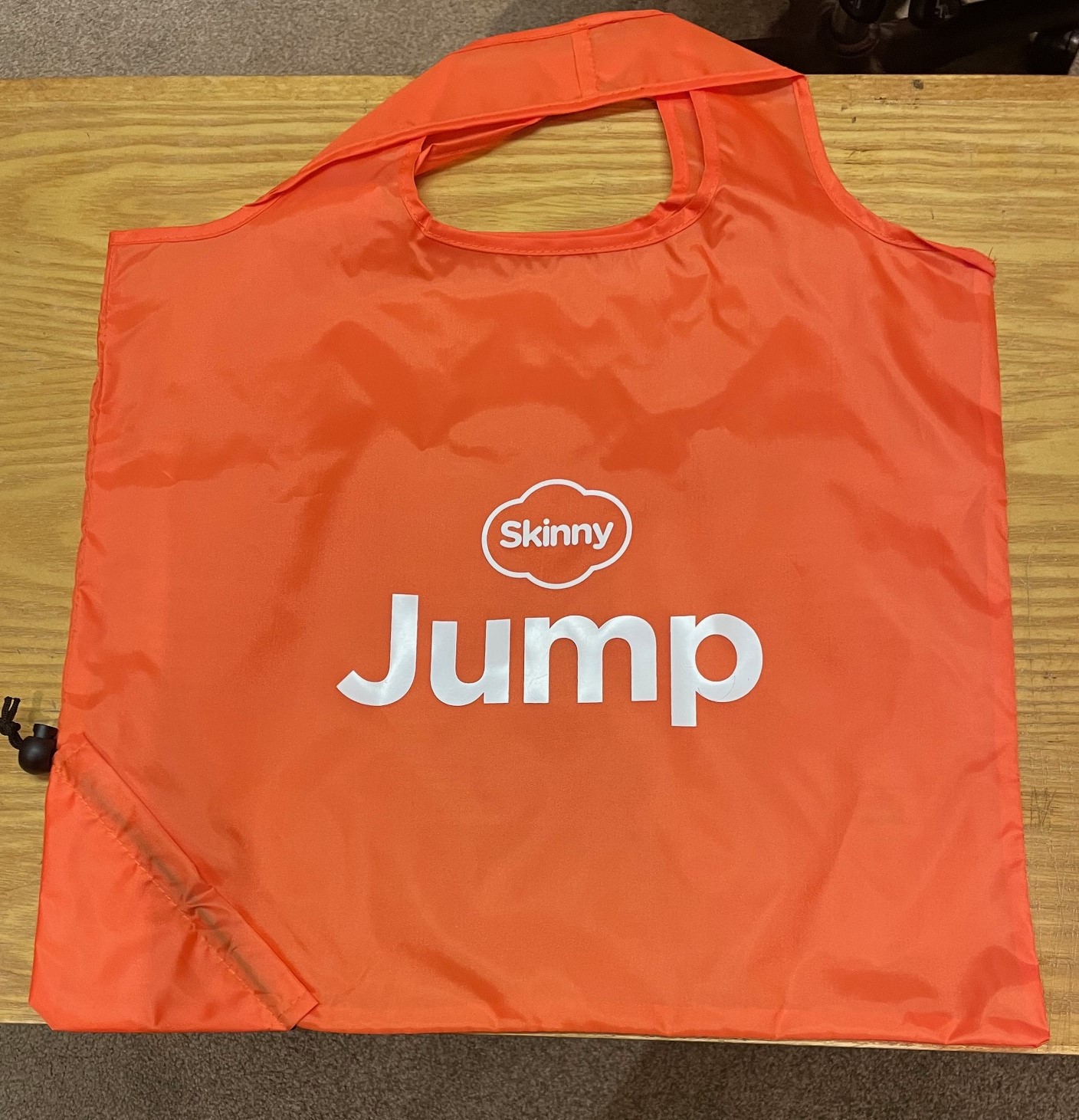
The Skinny Jump team has offered another solution – their Skinny Jump ‘zero’ bags – these are tough re-usable carry bags that scrunch up to almost nothing – see photos below.

We don’t have huge supplies, so we will only be sending these on request; please contact jump@diaa.nz with any requests.

Jump training for new staff

I had a call this week from a staff member in one of our Jump partners who had been asked to take over managing the Jump programme because the person who had been managing this had left. Not surprisingly, she had a number of questions about our processes.

Staff changes in our Jump delivery partner network are not unusual. We met with the Skinny Jump team this week and spent some time discussing the on-boarding process for new Jump partners. But what we quickly realised that everything we were discussing applied equally to new people joining the Jump delivery network.

We have some excellent resources for supporting new Jump delivery staff, but the challenge is to work out how to engage with them and let them know what is available. So here are a few questions for you – if you are reading this, then you are probably an experienced Jump delivery partner and can help connect us with Jump newbies.

  1. Do you know that there are three types of Jump delivery partner?
    • Jump referral partner, knows about Jump but is not involved in the issuing of modems;
    • Jump connector, issues modems and helps customers set up their Skinny Jump accounts and understand the top-up process;
    • Jump specialist, understands all the Jump processes, including modem supply and recovery of returned modems.
  2. Have you completed a Jump Partner Pathway online course?
    • Course 1 is for everyone involved in the Jump delivery process (referral, connector and specialist);
    • Course 2 is for everyone involved with the issue of modems (connectors and specialists);
    • Course 3 is for at least one person in each delivery partner organisation (specialists)
  3. Do you know who to contact for support with Jump processes?
    • Sue for training and promotion,
    • Shelley for day-to-day operations, and
    • Laurence for modem supply and recovery
  4. How should you contact the Skinny Jump team?
    • As a delivery partner, you shouldn’t contact the Skinny team directly
    • Partners should contact the DIAA team for any support required (jump@diaa.nz for modem supply issues; 0800 463 422 for other day-to-day operational issues; sue@diaa.nz for training and promotional resources)
    • Customers should be encouraged to contact Skinny directly if they have a problem using their modem, topping up their accounts and for reporting faults
  5. What are the most important tools for Jump partners?
    • Jump Partner how-to guide and FAQ, February 2023 edition
    • Skinny Jump Partner Resources, incl Partner Pathway training modules
      • Jump Profile Form, to be completed for every modem issued (except replacements for faulty modems)
      • Modem Returns Form, to be completed for every returned modem or when partners encounter a problem during the modem setup process
      • Partner Google Sheets, activity record for each partner (key document for managing supply of modems); contact Laurence or Shelley if you can’t access your GSheet.

And a final word – if you are planning to move to a new role, please let the team at DIAA know (contact Laurence, Shelley or Sue) so that we can update our records and help the team member replacing you get up to speed with Jump.

Jump Modems without Broadband stickers

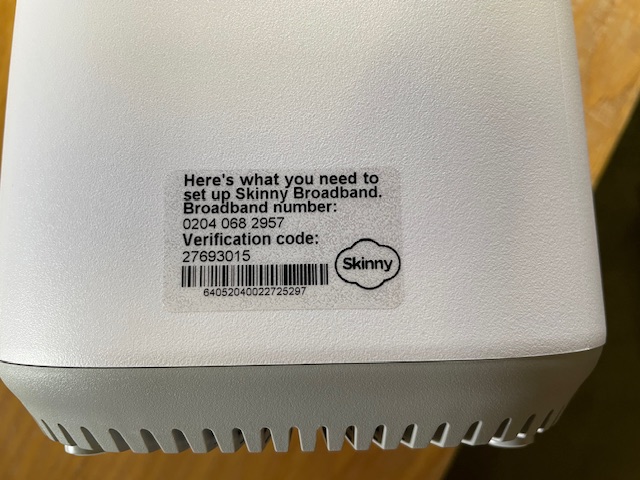
A number of Jump delivery partners are reporting an increasing frequency of new modems being supplied without a broadband sticker – that’s the clear plastic sticker on the side of the modem:

I posted about this in September 2023 when I first discovered that the most common problem was that the stickers had come off the modem and attached themselves to the inside of the box, so it pays to keep checking this first. We have raised this issue with CEVA, the company that ships the modems, seeking their assistance in ensuring that the stickers do not become detached when the modems are being boxed.

But if there is no sign of the sticker, the modem needs to be classified as faulty and a Modem Returns form completed. Explain on the form that the modem has no BB sticker and we will send you a courier bag to recover it for repair.

Concerns about possible ‘scamming’ practices with Jump

From time to time I get approached by a partner who suspects that one of their customers is ‘scamming’ the Jump modem process. When this happens we try and work out a strategy to handle this on a case by case basis, so that partners and their staff are not having to face confrontational situations. Staff safety is paramount and we are happy to provide whatever support we can to ensure that the Jump delivery experience remains a positive one.

I have summarised a few scenarios below, as reported by partners and suggested some possible responses.

  1. More than one modem requested by people living at the same address. There are many situations where this is totally okay. The most common example is social housing units (although these typically have separate apartment numbers), but we also encounter this where people are living in different dwellings at the same physical address (this is quite common in many rural properties for example). But is also occurs when someone is living in a cottage separate to the main dwelling where the distance is too great for the WiFi signal. In some situations, two or more families are living in the same house, and provided they are not part of the same family unit, then they can be supplied with separate modems. Suggestion: For online applications I get an alert whenever a duplicate address shows up; I then check the applicant’s name, phone and email and if necessary view the property on Google Maps street view to determine if it is a single or multiple dwelling site. If I have any concerns I suspend the delivery until Shelley contacts the applicant to find out more. What is interesting is that most people do not respond to Shelley’s text inquiry (which in itself suggests there could be something fishy) and the application expires after 10 days. It is difficult for partners to do this sort of checking, but the principle really is to query anything that looks odd; if you are satisfied with the explanation, then you can proceed to issue a modem. But if you are not, then you have the discretion to decline the application.
  2. Same person requests a second modem within a short time. This definitely needs an explanation before a further modem is issued. If you are not satisfied, then you have the discretion to decline the application. One of our partners discovered repeated applications by the same family and the same address; they were shopping around, getting modems from different libraries in the same city. Staff became aware of this and created an informal ‘black list’ as an alert for any future applications. The exception of course is when the modem is faulty. Suggestion: Before issuing a modem to someone who claims their modem is faulty, make sure they have reported the fault to the Skinny Care Team or they have returned the faulty unit to you. Partners can also check their Jump GSheets to identify repeat applicants. Simple do a search (Ctl F) for the applicant’s name to identify duplicates.
  3. People who miraculously change their address when the address checker indicates ‘no coverage’. This is a bit more challenging. Skinny Jump does operate on a ‘high trust’ basis, but if there is clear evidence that someone is providing a false address, then partners have the discretion to decline the application. For online applications, we frequently get people at addresses that pass the coverage test, but then ask for the modem to be sent to a different address (which 9 times out of 10 fails the coverage check). Suggestion: For online applications we automatically decline any applications where the requested delivery address is not in Jump coverage. We then contact the applicant to find out why they want it sent to an address where the modem cannot be used. In most cases, we never hear back from those who are possibly scamming the system; people who do have a genuine reason always respond.
  4. People who ‘give’ their modems to someone else and then want another one. This is a bit strange and partners who have reported this have advised that they suspect the modems might have been on-sold (as opposed to ‘given’). It is a breach of the Jump conditions of service for anyone to sell or otherwise dispose of a Jump modem. The Terms and Conditions state: “You may not sell, lease, dispose of, lend or otherwise part with possession of, or modify the Modem in any way“. Suggestion: In this situation, we would advise partner to respectively decline to issue another modem, unless there is an incredibly good explanation. An exception we have encountered is where two people living together have split and one person has taken the modem with them, even though it was registered under the other person’s name. In this case, we treated the modem as ‘stolen’ and asked the Skinny team to block it and delink, so the customer could set up with a new modem.
  5. My modem has been stolen or lost. Regrettably, this is a very common issue. Almost every day at least one Jump modem is reported as ‘lost’ or ‘stolen’. Suggestion: Customers must be directed to the Skinny Care team, so that the modem can be identified and blocked before a replacement is issued. Partners should never replace a modem unless the old one has been returned.
  6. Other situations? Do send me an email (jump@diaa.nz) if you are encountering any other ‘suspicious’ behaviour.