So, how much Jump churn is there in my area?

This questions was raised by partners in all five webinars last week. The Jump team has now extracted a shapshot of this data for each delivery partner for the total number of modems they have issued.

The percentage churn is calculated as at August 2022 for the number of customers who were inactive for at least 30 days compared to the total number of modems issued. Being ‘inactive’ means the customer didn’t use any data for 30 days; it has nothing to do with whether they topped up or not.

The number of modems issued is the total number issued by a partner since they first became a Jump partner. For some partners this goes back five years. For other partners, it might only be a couple of months.

The percentage figures range from 0% (typical for relatively new partners) to 100% (typically quite small partners). In recent months, the aggregate churn percentage for all partners has been increasing and is now around 75% in a single month (1000 inactives compared to 1300 new sign ups). But the total for the last five years has a mean churn of around 44%. Our goal is to bring this down to under 40%.

The percentage churn for each Jump partner is now displayed in cell P1 (August 2022) of your Jump GSheet register. We would like to get monthly data, so that you can monitor any changes when you implement the 6 C’s or other strategies, but this is quite a marathon in terms of matching data sets; the data analysis also takes account of modems returned.

So please treat the figures in your GSheets as indicative, rather than precise. We are also thinking that it might be more helpful to simply report the number of inactive customers compared to new sign ups each month.

Glitch with Jump web registration process has been fixed!

That’s the good news. The not so good news is that the web-based signup instructions in the Partner Manual and the User Guide are now incorrect. It will take some time before these print materials are updated and distributed, so we are planning a couple of short term measures:

(1) an updated page for your Partner Manuals – we will load this to the Jump Resources page of our Stepping UP website and let you know when it is available to download

(2) step by step instructions will be inserted with every modem that we (DIAA) ship for home delivery

Since partners are helping customers with their Skinny account setups, we are not so worried about the incorrect instructions in the User Guides that come with every modem. They will of course be updated with the next reprint.

So what are the registration steps? They are set out below, noting that this is only for signups using the web registration process. Nothing has changed for signups using the App.

  • Go to skinny.co.nz/jump and select login
  • Select Register (underneath the Facebook and Google sign in icons)
  • Enter email address & password ➡️ Next
  • Enter First Name & Last Name ➡️ Register
  • Navigate to email inbox and retrieve 6 digit verification code
  • Enter 6 digit verification code ➡️ Verify
  • Select Return to login
  • Enter email address & password ➡️ Login
  • Select Activate Account
  • Select Broadband sub tab
  • Enter Skinny Jump Broadband Number & Verification Code ➡️ Activate

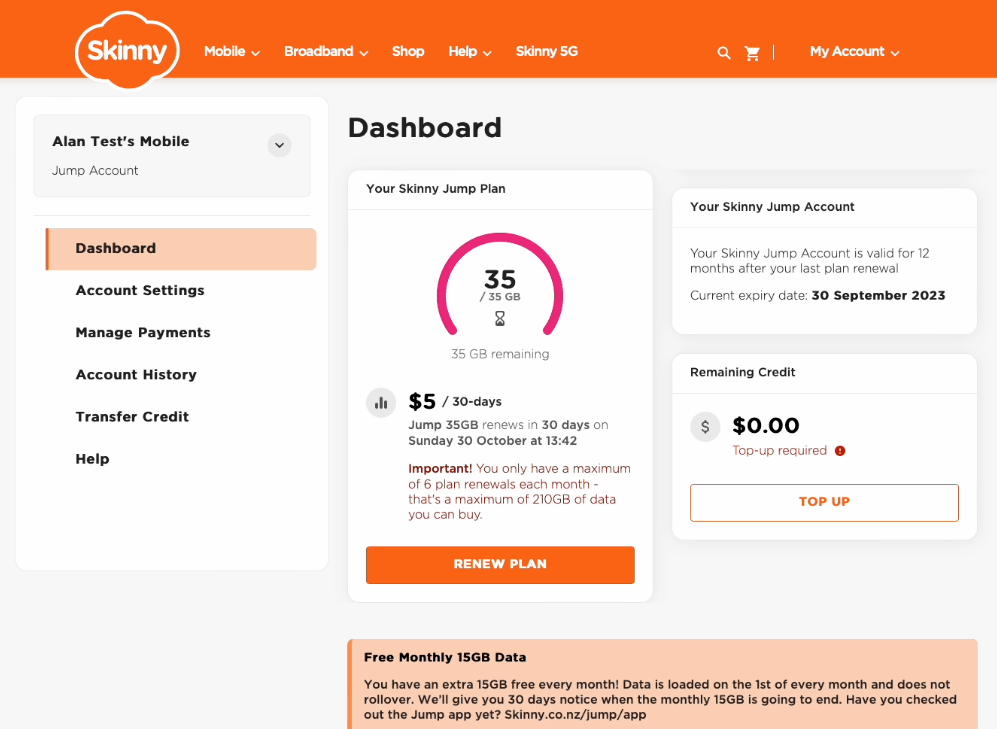
Registration complete and customer will be greeted with this screen:

Desktop signup problems are expected to be resolved by the weekend

The Skinny Jump team has been able to replicate the issues raised by partners today and has assigned a Priority One brief to the website developers. This means that issues could be resolved within 24 hours, but are more likely to take a couple of days, given current workloads.

These issues have arisen as a direct result of moving to the universal login. Please be patient; if this is creating problems for your team in signing up new customers, you are welcome to suspend signups until this is resolved, or alternatively, you can use the App for new signups.

Problems with desktop signups for new Jump customers

We have received a number of reports from partners about problems they are having when signing up (registering) new customers for Jump using the desktop process. The symptoms appear to be that customers are not being asked to enter their physical address or in some cases, the broadband number of the modem.

We have tested this ourselves and agree that all is not well. But we are at a bit of a loss to work out why, so this has been escalated to the Skinny Jump team. The link I provided in my previous post added further confusion as this went to the Skinny login page rather than the Jump login page. But we don’t think this is what is causing the problem. I have updated the link in my previous post just in case.

We are hoping to have an update later today, but in the meantime we suggest you use the App to sign new customers up.

New link for signing customers up for Jump

The change to a universal login this week has resulted in a new URL for the sign-up web page. This has confused a number of partners, who (sensibly) keep a link to the Jump sign-up page as a shortcut on their desktops. It is important to update the link on any desktops where you sign customers up.

The new link is: https://signin.skinny.co.nz/?logobrand=skinnyjump

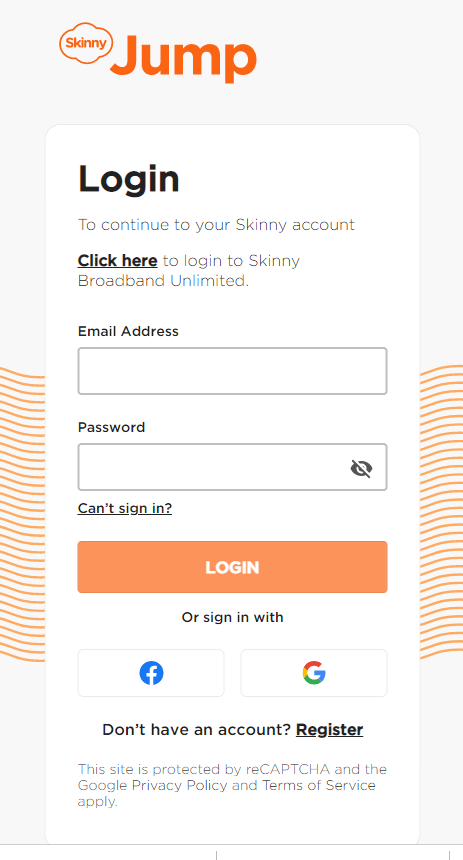
This takes you to a page that looks like this:

Note that for new customers, you have to scroll down below the Facebook and Google logos to find: “Don’t have an account? Register “. Some partners have reported that they can’t see the ‘Register’ link on this screen; it appears to get covered up by the Facebook and Google logos. This fault seems to be browser dependent, so do let us know if this happens for you and tell us what browser and what device you are using. We’ll pass this on to the web developers. Clicking on ‘Register’ takes you to this page:

Note also the more stringent requirements for the password. Partners familiar with the Jump App (as most are) will recognise this.