Supplies of Jump Collateral

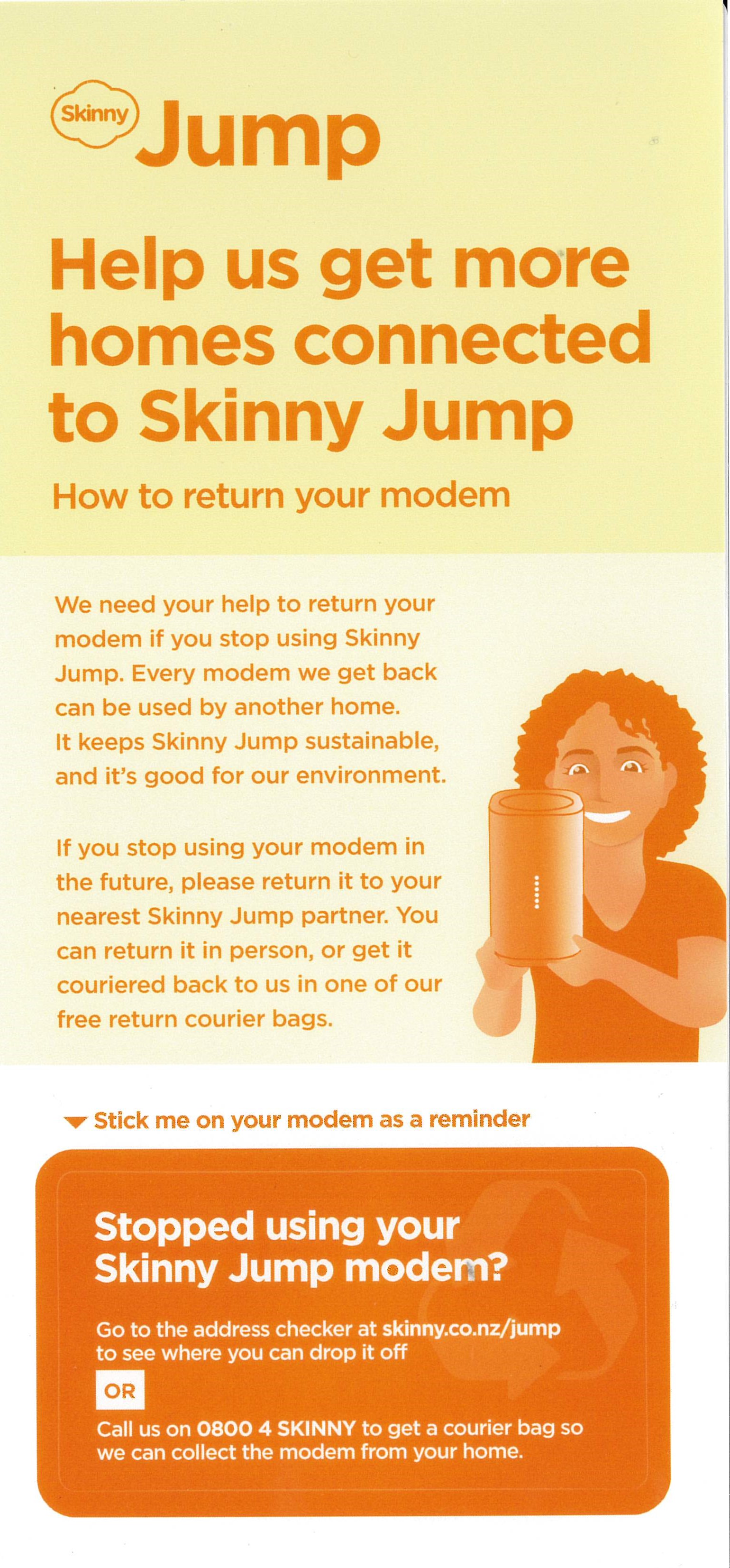
I am starting to receive requests for more supplies of the above “Stopped Using your Skinny Jump Modem” stickers; I suspect that this could mean other partners are also running out. We (DIAA) have a reasonable supply of these and can supply further copies (they come in bundles of 10). We are planning a further bulk supply over the coming months, but we can hopefully keep you stocked in the meantime. Remember to attach this sticker to every modem that you issue.

If you need more copies please send your requests to Shelley (shelley@diaa.nz) and she’ll get some on the courier for you.

And while we are talking about Jump collateral, do remember that you can order this online through our Stepping UP website: Stepping UP>Partner Resources Hub>Skinny Jump Partner Resources> scroll down to: Skinny Jump Promotional Materials

Jump training for new staff

I had a call this week from a staff member in one of our Jump partners who had been asked to take over managing the Jump programme because the person who had been managing this had left. Not surprisingly, she had a number of questions about our processes.

Staff changes in our Jump delivery partner network are not unusual. We met with the Skinny Jump team this week and spent some time discussing the on-boarding process for new Jump partners. But what we quickly realised that everything we were discussing applied equally to new people joining the Jump delivery network.

We have some excellent resources for supporting new Jump delivery staff, but the challenge is to work out how to engage with them and let them know what is available. So here are a few questions for you – if you are reading this, then you are probably an experienced Jump delivery partner and can help connect us with Jump newbies.

  1. Do you know that there are three types of Jump delivery partner?
    • Jump referral partner, knows about Jump but is not involved in the issuing of modems;
    • Jump connector, issues modems and helps customers set up their Skinny Jump accounts and understand the top-up process;
    • Jump specialist, understands all the Jump processes, including modem supply and recovery of returned modems.
  2. Have you completed a Jump Partner Pathway online course?
    • Course 1 is for everyone involved in the Jump delivery process (referral, connector and specialist);
    • Course 2 is for everyone involved with the issue of modems (connectors and specialists);
    • Course 3 is for at least one person in each delivery partner organisation (specialists)
  3. Do you know who to contact for support with Jump processes?
    • Sue for training and promotion,
    • Shelley for day-to-day operations, and
    • Laurence for modem supply and recovery
  4. How should you contact the Skinny Jump team?
    • As a delivery partner, you shouldn’t contact the Skinny team directly
    • Partners should contact the DIAA team for any support required (jump@diaa.nz for modem supply issues; 0800 463 422 for other day-to-day operational issues; sue@diaa.nz for training and promotional resources)
    • Customers should be encouraged to contact Skinny directly if they have a problem using their modem, topping up their accounts and for reporting faults
  5. What are the most important tools for Jump partners?
    • Jump Partner how-to guide and FAQ, February 2023 edition
    • Skinny Jump Partner Resources, incl Partner Pathway training modules
      • Jump Profile Form, to be completed for every modem issued (except replacements for faulty modems)
      • Modem Returns Form, to be completed for every returned modem or when partners encounter a problem during the modem setup process
      • Partner Google Sheets, activity record for each partner (key document for managing supply of modems); contact Laurence or Shelley if you can’t access your GSheet.

And a final word – if you are planning to move to a new role, please let the team at DIAA know (contact Laurence, Shelley or Sue) so that we can update our records and help the team member replacing you get up to speed with Jump.

Jump verification code delays are causing sign-up problems again

A number of partners have reported recent problems (again) with verification codes not arriving during the Jump account set up process. This was a big problem last year – see my previous blog posts here.

So, this is more of a reminder, as a permanent fix is outside the control of the Skinny Jump team. The ‘sort of’ good news is that this is intermittent and doesn’t seem to have affected too many sign-ups, at least ones that we know about.

  1. If the email with the Verification Code does not arrive within 5 minutes, then there is no point in waiting. When (if) the email does arrive, the verification code is likely to have expired.
  2. We know that using an email that isn’t a Gmail one solves the problem, but we understand that most customers would not want to start managing more than one email account.
  3. One of our partners who faced this problem tried sending an email to the customer’s address to check it was working and the email arrived straight away, but the good news was that the email with the verification code arrived immediately after. So this seemed to provide a kick-start in delivering the email. Certainly worth a try.
  4. The only other suggestion we have is to try requesting the verification code again (after 5 minutes); in the Jump app, you simply select ‘Resend Code’.

Shout it from the rooftops – Ciena extended for another year!!

The Skinny Jump team has been negotiating with Ciena, one of Spark’s equipment suppliers, to extend the Ciena programme for another year.

Today, Ciena said yes! Thank you to the partners who provided feedback on how much the programme is appreciated by their communities. This feedback was shared with Ciena and I am sure this helped secure the extension.

All Jump customers with an existing Ciena plan (over 800 families) will automatically have their free internet connection extended for a further 12 months and all new signups will receive a free connection until the end of December 2024. An email was sent today to all existing families advising them of the good news.

While the number of new connections is limited, we are keen to accelerate the signup rate so that as many families as possible get the benefit of a full-year’s sponsorship. We are working on some ideas with the Skinny Jump team, but do let us know if you have any suggestions. 

Free Jump data boost for Summer

The Skinny Jump team is gifting all regular Jump customers a free data boost for the next two months – the standard 15GB free data allowance has been doubled to 30GB for the 2023/2024 holiday period. Jump customers received their first 30GB data boost on 1 December 2023 and another one will be applied on 1 January 2024. On 1 February 2023 it returns back to 15GB.

This data boost is only available to standard Skinny Jump customers, not those on sponsored plans like Ciena, MoE or OCHT.

The data boost is provided on a ‘use it or lose it’ basis, i.e. unused data doesn’t rollover at the end of the month.

For new customers signing up during December, the 30GB is not applied at the time of modem activation but is automatically added on the 1st of January 2024 (around 12:00 AM for late night revelers*)

All eligible Skinny Jump customers were sent an email, advising them of this data boost, informing them of this great news! But please pass this on to any Jump customers you come across.

*reveler: a person who is enjoying themselves in a lively and noisy way

GMail+ solves dual email issues

At times, a customer’s email address may already be linked to a Skinny service, and signing-up for Skinny Jump will require the use of a different email address.  If your customer uses Gmail, there is a handy solution for utilising their existing Gmail account.

Gmail provides a feature known as ‘plus addressing.’   With this feature, they can add a ‘+’ symbol followed by any word or number of their choice to their email address, and emails will still be delivered to the original Gmail inbox.   For example, if the customer’s email address is mike@gmail.com, they could use:

  • mike+jump@gmail.com
  • Mike+2023@gmail.com
  • mike+skinnyjump@gmail.com

All of these email addresses will reach their inbox, and the Skinny Jump platform (both browser & app) will recognise it as a separate email address from the original.

An extra bonus of ‘plus addressing’ is that it simplifies tracking the origin of spam emails.  By creating a distinct email address for any online account or service, Gmail users can readily determine which website is the source of spam by examining the ‘from’ field in an email they’ve received.  This method allows them to take action to prevent spam and maintain a clutter-free inbox.

So, the next time a customer’s Gmail address is not accepted during the Skinny Jump sign-up process, try adding a + and any word/number that works for them @gmail.com and the verification email will go to their existing Gmail inbox!

Nearly there with the broadband number issue and app signups!

The Skinny Jump app team have been investigating this bug on the Jump app and have verified the cause of the issue on the android version of the app, but has also identified another bug on the iOS version.

Android: Android app implemented a hard limit of 11 – 12 characters on the input field for the broadband number, therefore not allowing 10-digit broadband numbers

iOS: iOS app implemented the wrong logic where the broadband input field would accept any number of characters, therefore allowing 10-digit broadband numbers

The app developers are now updating the logic/code within the app to accept 10-digit broadband numbers. Once the updates have been made, they need to align to a weekly app release schedule, so they can “push” the new versions of the app onto the app stores. They expect this whole process could take another 2 weeks.

In the meantime, if you are signing up a customer with a 10-digit BB number (0204XXXXXX), we suggest you enter the number in this format: 64204XXXXXX. Both android and iOS versions of the app should then accept the BB number.

Ciena Jump signups rocket past 600

Another record month for Ciena Jump signups! 56 partners had signed up a whopping 619 families to the Ciena plan by the end of September (and already another 7 so far today – 3pm 2 October 2023).

This is a fantastic achievement. Linwood Library remains top of the leaderboard – in fairness they did have a sort of head start by collaborating with the Greater Christchurch Schools Network (GCSN) in 2022 and they did get the August Chocolate Fish award.

But with Ranui, Shirley, Hastings and Hornby libraries coming a close second for two months in a row, I think they deserve the sugar boost for September! So keep an eye out for the next courier delivery.

56626
Total Issues
Linwood Library8213%
Ranui Library579%
Shirley Library549%
Hastings War Memorial Library467%
Hornby Library437%
Wairoa Library315%
Otara Library295%
Manukau Library224%
Manurewa Library213%
Te Takere Levin213%
New Brighton Library203%
Glenfield Library142%
Kaikohe Library142%
Onehunga Library132%
Porirua Library112%
Rotorua Library112%
Glen Innes Library91%
Mangere East Library91%
Papatoetoe War Memorial Library91%
Wellsford War Memorial Library91%

Slow verification code arrival still causing some problems

We had hoped that this problem, which seems to be just impacting Jump customers with Gmail accounts, would sort itself. But it appears not yet.

Anya Kay from East Coast Bays Library in Auckland encountered this problem last week when signing up a new customer with a Gmail account. So she set up a Yahoo email account for her customer, and hey presto, the verification email arrived straight away! Good problem-solving Anya!

Skinny Jump back in business

I have confirmation from the Skinny Jump team that yesterday’s fault has been fixed and Jump is back to business-as-usual. Everything working as it should – website and Apps. The issue with Android phone signups for 10 digit broadband numbers is still being worked on, so please continue to use browser sign ups for customers with Android phones. We have been alerted to a possible related problem with web signups not being reflected in the Android App, so please make sure your customers do load the Jump App on their phones after you have signed them up and check that they can log in.

We would appreciate notification of any situations where this isn’t working, preferably with a screen shot from the Android phone. Thank you.