Some families are spending too much on JUMP

About 10% JUMP families are spending more than they have to every month.  These families are spending between $200 and $250 on JUMP top-up vouchers every month, which is more than twice as much as they need to to get the same level of service.

Skinny’s unlimited fixed line plan starts at $73 per month, so any family using more than 210GB in any one month would be better off with a fixed line plan.  We recognise that families often choose JUMP because the service is ‘pre-pay’,  there is no term contract nor any penalties for early termination, and there is no cost to relocate to a new location.

DIAA is concerned that families don’t feel trapped without a proper understanding of other alternatives and we are seeking the support of our partners to help explain this.  Any family using more than 210GB in any one month, i.e. topping up with the JUMP $10/30GB plan more than once every week, would be better off to migrate to an unlimited broadband plan.

There may well be other reasons why families choose a pre-pay service, but we need to make an effort to alert them to available options.  For example, the Skinny website does provide two possible unlimited options for $73 per month:

  • Sign up for 12 months: $199 early termination fee
  • No Commitment: Pay for the modem ($99) and a one-off connection fee ($49)

Relocation fee: no charge if relocate no more than once every 6 months; $50 charge if relocate more frequently


Call Skinny for JUMP relocations

In August 2018 I published a blog post about the way to handle things when a family moves houses and takes their JUMP modem with them (which of course they can).  This process has now been simplified – there is no need to advise local delivery partners or DIAA.  Families should be advised to just call Skinny on 0800 475 4669 and the helpful Skinny team will provide any advice needed on 4G coverage at the new location, as well as update the family’s records.  That’s all it takes!

Of course partners can suggest to families that they check coverage at their new location themselves – this could save a bit of time and effort.  But the important thing is to ensure Skinny has the updated address.  This is especially important for families in temporary accommodation when they sign-up for JUMP – they must let Skinny know their new address when they move into more permanent accommodation.

Families who move to a new suburb or town without notifying Skinny are likely to get their service cut off as they will show up in a location breach report.  When this happens Skinny will attempt to contact the family to get their new address, but if for any reason they can’t make contact, the modem will be blocked and internet service denied.


Libraries invited to participate in digital inclusion survey

A new library research initiative by the Equity Through Education Research Centre at Massey University is underway and library managers and staff throughout New Zealand are invited to participate.  The research seeks to investigate the role of public libraries in promoting digital inclusion and overcoming the digital divide.

We encourage all DIAA library partners delivering Stepping UP or JUMP programmes to participate in these surveys:

Library staff survey: https://www.surveymonkey.com/r/LXJGTY7

Library Managers’ Survey: https://www.surveymonkey.com/r/HRKDVMK

The research is being conducted by Dr Maggie Hartnett, Associate Professor Mandia Mentis, Associate Professor Alison Kearney, Dr Lucila Carvalho, and Dr Philippa Butler. Any questions about the research or about this survey should be referred to Maggie Hartnett, at m.hartnett@massey.ac.nz.

Update on Kawa of Care glitch

I reported last week about a problem that Dunedin Library was having with copies of some Kawa of Care not being sent to the family or to DIAA.  We diagnosed this to be a problem when using Internet Explorer as the browser for completing the Kawa of Care form.  But we have now been advised by the form developer that there was another problem – new options had been added around the end of March to the “how did you find out about JUMP” part of the form without the back-end processing part being updated. So any family selecting ‘Salvation Army’ or ‘Computers in Homes’ were ending up in a cyber black hole.  Fortunately this had no impact on their JUMP service;  it only affected our records for acknowledging receipt of the Kawa of Care.  This has now been fixed, but we do ask all partners to complete columns B & C in their JUMP Google registers with the names of participating families and the date the modem is issued in column E (the yellow shaded columns) – this then provides an alert if we don’t receive the Kawa of Care.  If you find you don’t have editing rights in your JUMP Google register please contact sparkjump@diaa.nz so that we can give you permissions.  You do need a Gmail email address or an email linked to a Gmail account to access the Google Docs world.  To complicate matters, many local authorities to not allow council emails to be linked to a Gmail account, so the solution many library partners have adopted is to create a generic library gmail address – the most innovative one we have discovered is imustreadabook@gmail.com.  There has to be a prize for the first person to work out  which library this is!

Kaitaia Library achieves record number of JUMP sign-ups for any one month

Congratulations to Helen Yuretich and her team at Te Ahu Library in Kaitaia for signing up the most JUMP families ever in one month.  41 families signed up at Te Ahu Library during May, just squeezing Glen Innes Library off the top slot with their 40 sign-ups, and Whanganui District Libraries snapping at their heels with 38 sign ups.  This is an outstanding achievement by all three libraries, contributing to a new national record of 359 sign-ups by 56 DIAA partners, 100 more than any previous month.

So how do these libraries do it? 37% of the sign-ups in Kaitaia come through the Library’s Facebook listing.  At Glen Innes Library, all the staff have been trained to help family’s sign-up to JUMP; there is rarely a day that goes past without at least one family signing up.  And Whanganui District Libraries offers JUMP at three locations – Davis, Gonville and Hakeke Street libraries with a fourth (Rangiora Street in Castlecliff) being added in June.

Thanks to Spark Foundation; a celebratory morning tea is winging its way to the Far North.

JUMP modem supplies

In a perfect world, partners should never run out of JUMP modems.  We monitor your stock of unallocated modems (cell F4 in your Google Sheet) and when this drops to 5, we courier a new box of five modems.  You can always check in column AB of the Google Sheet to find the date when modems have been couriered.  The delivery is normally overnight in the North Island and 2 days for the South Island; the date we record is the date they leave Wellington.

In a not so perfect world, when partners allocate a modem and fail to record the family name in columns B and C, our automatic trigger doesn’t fall to 5, and so no further modems are dispatched.  If partners find they are having to always request further supplies, it could be that modems have been issued but not recorded.  It is helpful if you check your modem stocks from time to time to see that the number you are holding matches the number in cell F4.  If not, let us know the IMEI numbers of the modems you are holding and we can mark out the others.

We don’t live in a perfect world, so this cunning plan to automatically replenish your supplies will not always work, in which case you are welcome to contact us at sparkjump@diaa.nz to order further supplies.

Kawa of Care Glitch when using Internet Explorer (IE) browser to send JUMP forms

Every day, there’s something new to learn.  Today, with Dunedin Library’s Anne Buck’s assistance, we went on a detective hunt to find out why Kawa of Care forms being completed by Dunedin JUMP families were not reaching us, nor were families receiving a copy.  To cut a long story short, we discovered that Kawa of Care forms completed using an Internet Explorer (IE) browser were disappearing into a cyber black hole, but when the same forms were completed using Edge or Chrome, everything worked as they should.  We subsequently discovered from the Kawa of Care form designer that Firefox is an OK browser as well but IE is definitely not (we didn’t ask why, we were just happy to have a diagnosis for the problem).

It appears though that some of the forms were reaching Spark Foundation’s system, which meant we were able to recover these without having to ask the families to fill them in again, but others seem to have disappeared for good.

So the moral of this story is to not use IE browsers for completing Kawa of Care.

Please continue to enter the family’s name and date of issue in your Google Docs JUMP register for every modem issued.  If partners don’t do this, we have no way of knowing that the modem has been issued if we don’t receive the Kawa of Care.

Watch out for the “86” IMEI trap!

A number of families, when completing their JUMP Kawa of Care online form, are falling into the trap of repeating the leading “86” in the IMEI number.  These two digits auto-fill in the Kawa of Care form and there is no need for families to re-enter “86”.  When families do enter it, they are unable to enter the last two digits of the IMEI number, as the field is limited to a total of 15 digits.  This makes it difficult, and at times impossible, to uniquely identify the family’s modem.

To mitigate this problem we have recommended to Spark Foundation that the auto-fill feature is removed, but until this happens can you remind families when completing their Kawa of Care not to enter the leading “86”.  One other thing you can do to help is to always enter the family’s name in columns B and C of the Google sheet (yellow shaded columns).  We can then advise Spark Foundation of the correct IMEI.

Glen Innes reaches 200 JUMP Signups

Today marked a special milestone when Glen Innes Library reached 200 JUMP signups (and today isn’t over yet!).  In recent months, they have consistently topped the country for the number of sign-ups each month.  Glen Innes Library supports one of the lowest socio-economic communities in New Zealand, so maybe this high demand for affordable internet is not all that surprising.  It has been recognised for 20 years that families living in low socio-economic are less likely to be connected to the internet and a new survey by Network for Learning (N4L) has revealed that this is still the case. The survey found that at one in six of the poorest schools less than a quarter of the students had home access to the internet.

But this achievement is also a result of the commitment of staff at Glen Innes Library, all of whom have been trained to help families set up their JUMP modems.  So, every day of week, people are turning up at the library to sign-up for JUMP.  Nearly half of the sign-ups (48.5%) are the result of a referral from a friend; another 41% find out about JUMP when they visit the library.

The top 10 JUMP delivery partners are:

Glen Innes Library, Auckland 200

Masterton Library 187

Whanau Resource Centre, Pukekohe 147

Linwood Library, Christchurch 106

Whangarei Library 98

Kaitaia Library 78

Whanganui Libraries 77

Rotorua Library 74

Ngai Tai o te Awa, Whanganui 67

Timaru Library 60

TechMate, Christchurch 60


Faulty and Returned Modem Processes

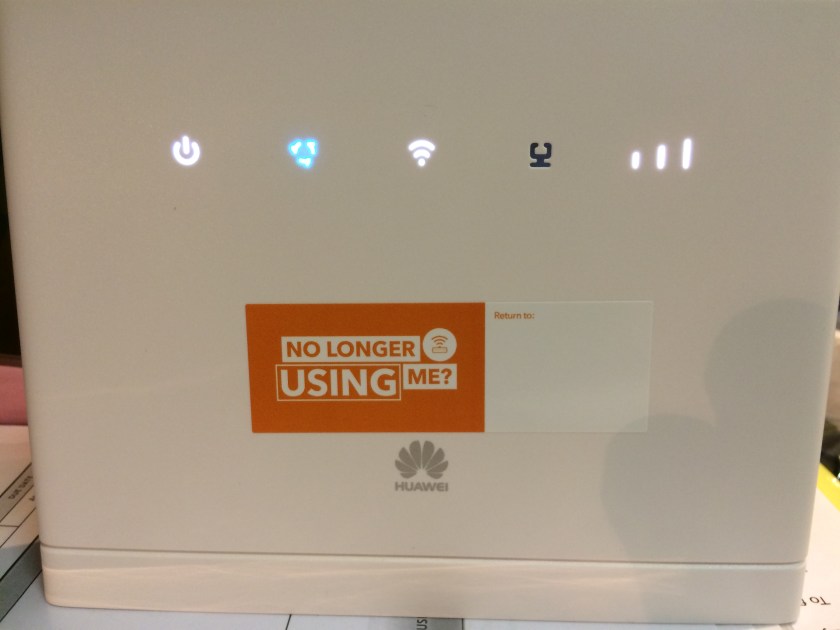
Spark Foundation and Skinny are currently reviewing their processes for the handling of faulty and returned modems.  While all the details are still being worked through, Skinny has requested that all faulty and returned modems be reported to them using their 0800 number (0800 475 4669).

All JUMP families should be encouraged to call the Skinny Helpdesk whenever they encounter a problem with their modem.  Helpdesk staff will carry out a remote test if possible and provide advice to families about how to fix the problem, or in the case of a faulty modem, families will be asked to return the modem to the place where they set it up.

When families bring in their faulty modems, or even ones they no longer require, it is important to check with the Skinny Helpdesk that the modem has been de-linked from the family’s account before attempting to register a replacement modem using the same email address. Another option is for families to set up a new account using a different email address.

Families must also complete a new Kawa of Care when receiving a replacement modem.

The part of the process still being discussed is what JUMP delivery partners do with returned modems; Skinny would prefer a collection scheme, where modems are held by delivery partners until the end of each month, and then returned using a pre-paid courier pack.  In the meantime, partners are asked to continue completing the modem return form,  and set aside the modems until courier return instructions are received.