Always Navigating Digital Realms, Online Insights Daily

What’s this got to do with Jump, you might well be asking. Well this is a test for those of you who like Friday afternoon challenges – find the hidden code!

Now what I really wanted to update you on is a problem that some Jump Partners have been discovering with the App – where the ‘Forgot Password’ link was sending a reset password email with button links that didn’t work.

The good news is that this was fixed earlier this week (the morning of 5 May 2025, to be precise) by the App development team.

If you receive a visit from a customer with this problem, can you assist with the following troubleshooting steps:

(1) Open the ‘Google Play store’ app > search for ‘Skinny Jump App’ > tap ‘Update’ if available and then attempt to log in via the app.

(20 Uninstall and reinstall the Jump app, then restart the device before attempting to log in or use the reset password link.

(3) Check the device system software for any updates.

And for those of you still scratching your heads about the puzzle, here’s a clue – this ‘Forgot Password’ problem has only been experienced on Android devices.

Jump Android App bug fixed

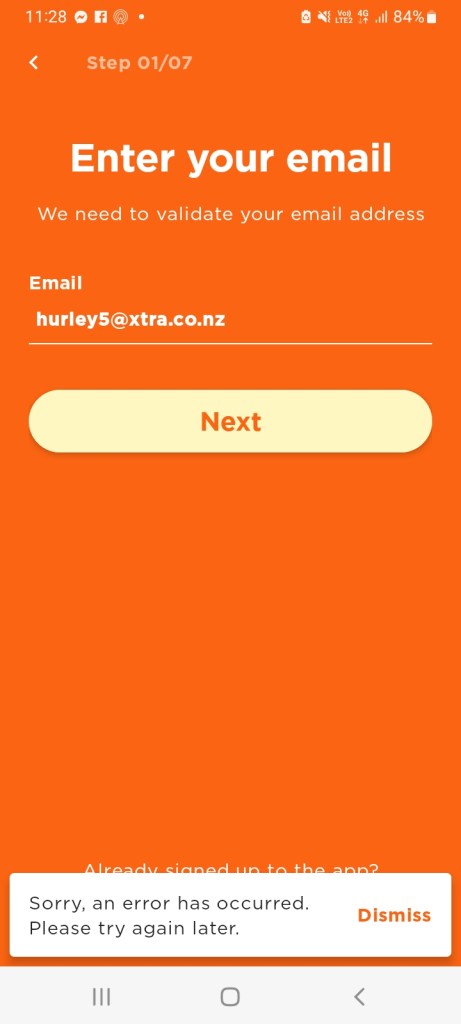
Some partners reported problems when signing up customers using the Jump Android App. They would get through to last part of the sign up process, but when the customer tried to enter their address, they would get an error message.

This proved to be a software bug, that has now been fixed and uploaded to Google Play on 6 November 2023.

Thank you to the partners who reported this problem.

One Android problem fixed but another emerges

My previous post celebrated the launch of the new Jump Android App that included a bug fix for the shorter broadband numbers. But unfortunately, another bug has emerged with the Android version of the Jump App.

When customers click on ‘top up’ in the App, the App closes – thanks to Noha from Porirua Library who first reported this.

The good news is that the app team has already isolated the issue and submitted code to fix it – and it is only affecting the Android version. The not so good news is that we don’t know how long it might take before the App can be updated on the Google Play Store. This update has to be approved by Google and is outside the control of the Spark app team.

The suggested workaround for customers in the meantime is to use the dashboard on a PC to do the ‘top up’ or a browser on their smartphones. Of course, they can also top up using the Jump Interactive Voice Response front-end on calls to the Skinny Care Team (0800 475 4669).

The Jump team expects to have a definitive timeline next week for the update to be uploaded.