That’s the good news. The not so good news is that the web-based signup instructions in the Partner Manual and the User Guide are now incorrect. It will take some time before these print materials are updated and distributed, so we are planning a couple of short term measures:
(1) an updated page for your Partner Manuals – we will load this to the Jump Resources page of our Stepping UP website and let you know when it is available to download
(2) step by step instructions will be inserted with every modem that we (DIAA) ship for home delivery
Since partners are helping customers with their Skinny account setups, we are not so worried about the incorrect instructions in the User Guides that come with every modem. They will of course be updated with the next reprint.
So what are the registration steps? They are set out below, noting that this is only for signups using the web registration process. Nothing has changed for signups using the App.
- Go to skinny.co.nz/jump and select login
- Select Register (underneath the Facebook and Google sign in icons)
- Enter email address & password
 Next
Next - Enter First Name & Last Name Register
- Navigate to email inbox and retrieve 6 digit verification code
- Enter 6 digit verification code Verify
- Select Return to login
- Enter email address & password Login
- Select Activate Account
- Select Broadband sub tab
- Enter Skinny Jump Broadband Number & Verification Code Activate
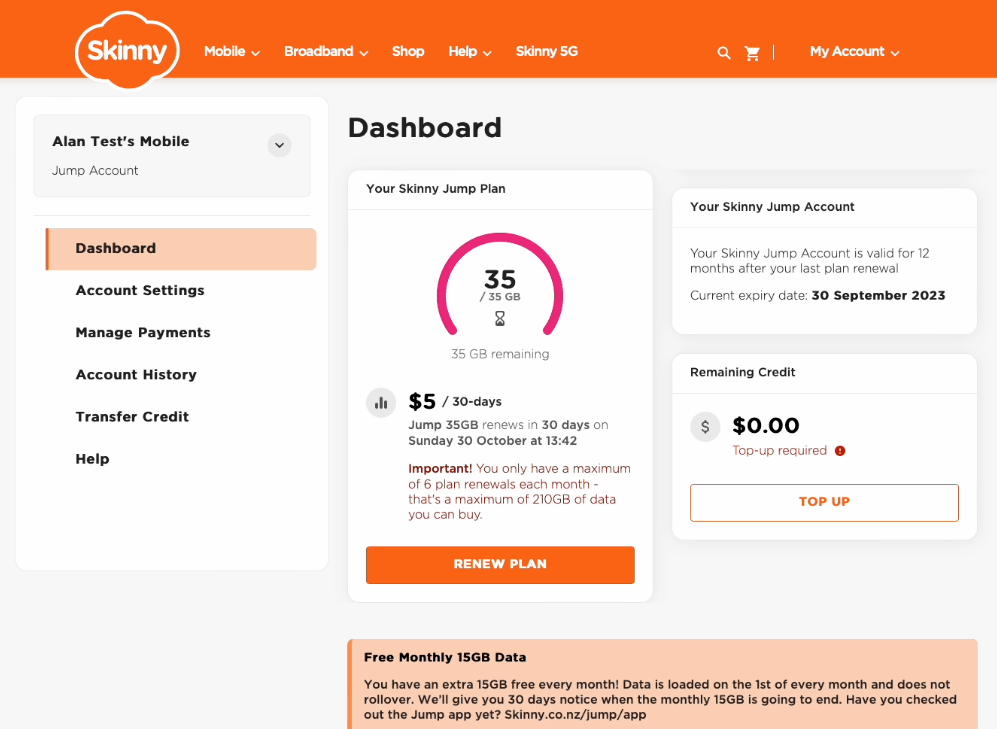
Registration complete and customer will be greeted with this screen:

 Digital Inclusion Alliance Aotearoa
We don’t add their address anywhere? How will Skinny know if a modem is in breach?
LikeLike
This is still a work in progress for the desktop signups. The address field is still part of the App signup.
LikeLike